Keystroke: Ctrl + P
This function sends your currently displayed document to an ink-print printer.
(Please, do not confuse Print with Emboss!)
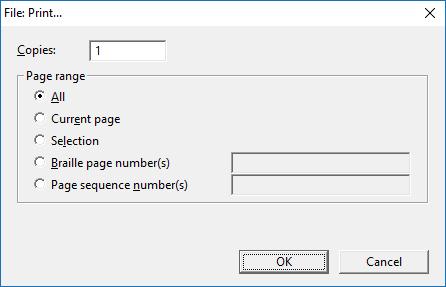
There are two basic options to set on the Print dialog, the number of copies and the range of pages to be printed.
Copies: is a text field where you enter the number of copies to do. The default is 1.
Page Range: is a set of radio button options, some with text-entry fields to enter page numbers.
Press OK to have your selected pages printed or press Cancel to close the dialog without printing.